Skip to content

Debug your Azure Service Bus without breaking production.

Dispatched is a native app and CLI for macOS, Windows and Linux.

Free and open source · macOS 13.3 or later, Windows 10 and 11, Linux x64 and arm64

The Dispatched workbench: the namespace tree with message counts, and the dead-letter messages of the invoice-generate queue
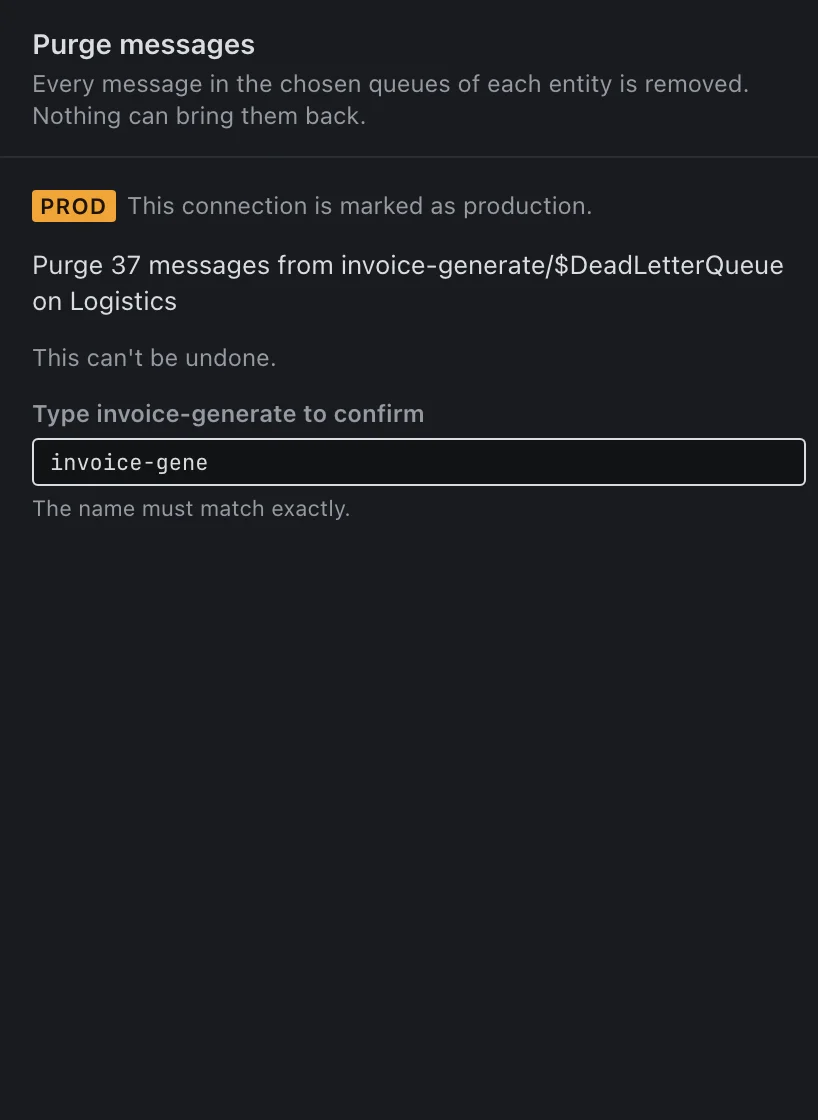
A production confirmation: Purge 37 messages from invoice-generate/$DeadLetterQueue on Logistics, waiting for the name invoice-generate to be typed

On production, nothing changes until you type its name.

Every change is counted and stated in one exact sentence before it runs. On a connection marked as production, the confirm button stays disabled until the name matches.

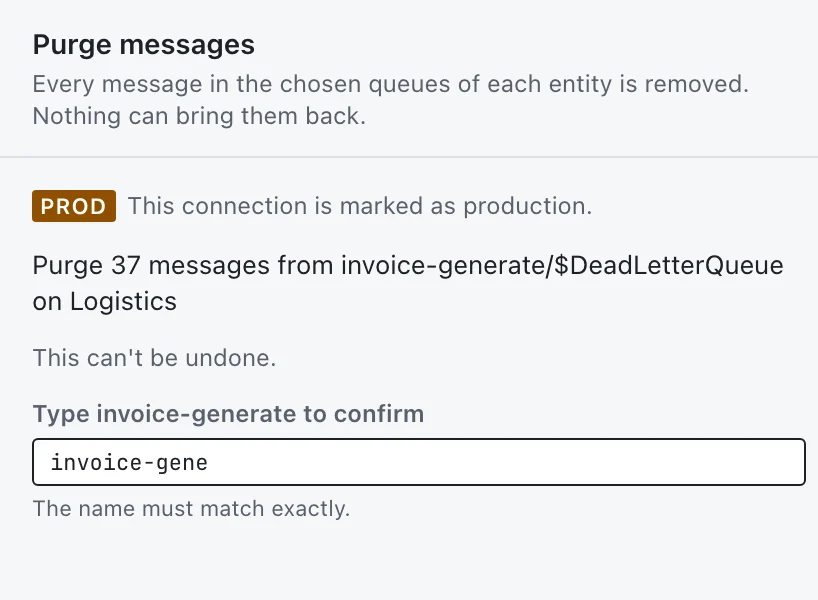
The purge confirmation on a production connection in the light appearance: Purge 37 messages from invoice-generate/$DeadLetterQueue on Logistics, with a field to type invoice-generate
Peeking changes nothing
Browsing a queue never locks, receives or settles a message.
The effect, in one sentence
Every change is counted first and stated exactly before it runs.
Production asks for the name
Every entity a change touches is typed in: a move asks for its source and its target.
Everything is written down
A local activity log records every change, from the app and the CLI alike.

See why messages failed, then fix exactly those.

Each dead-letter view groups its messages by reason, so 37 failures become three problems you can act on. Filter by property, body text, regex or JSONPath, and open any message as JSON, XML, text or hex.

Dead letters of invoice-generate grouped by reason: TTLExpiredException 14, SchemaValidationFailed 12, MaxDeliveryCountExceeded 11, above the first messages

Repair what you selected, nothing else.

Resubmit with edits, move or delete the rows you picked. Each message is found again by sequence number when the job runs, and the report says what happened to every one.
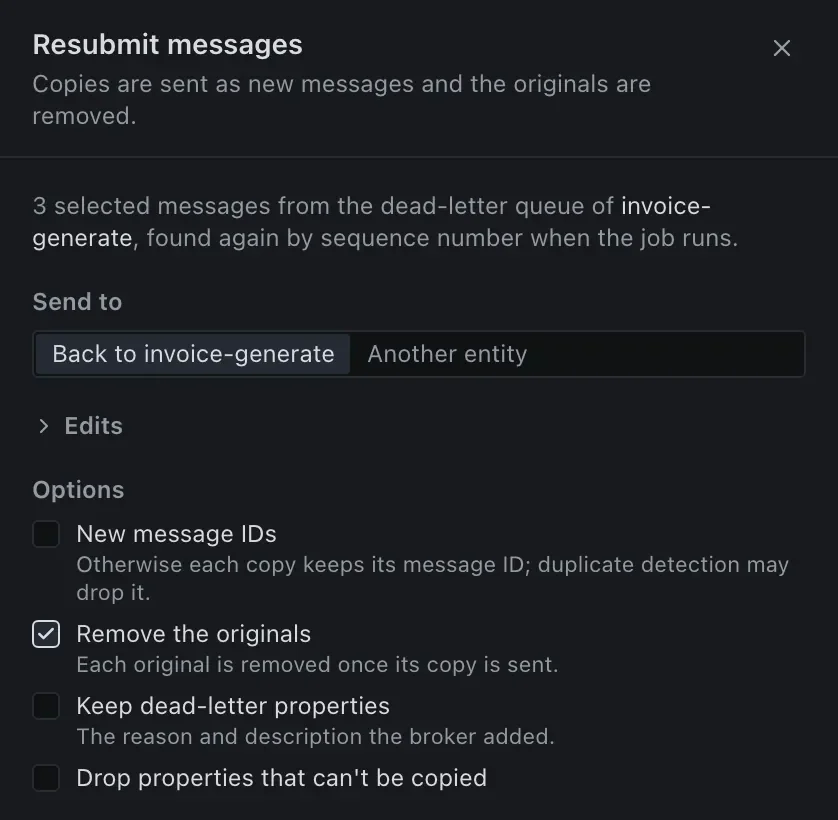
The Resubmit sheet for three selected dead-lettered messages, with Remove the originals checked

Every setting of every entity.

Create and edit queues, topics, subscriptions, SQL and correlation rules and access policies. An edit sends only what you changed.
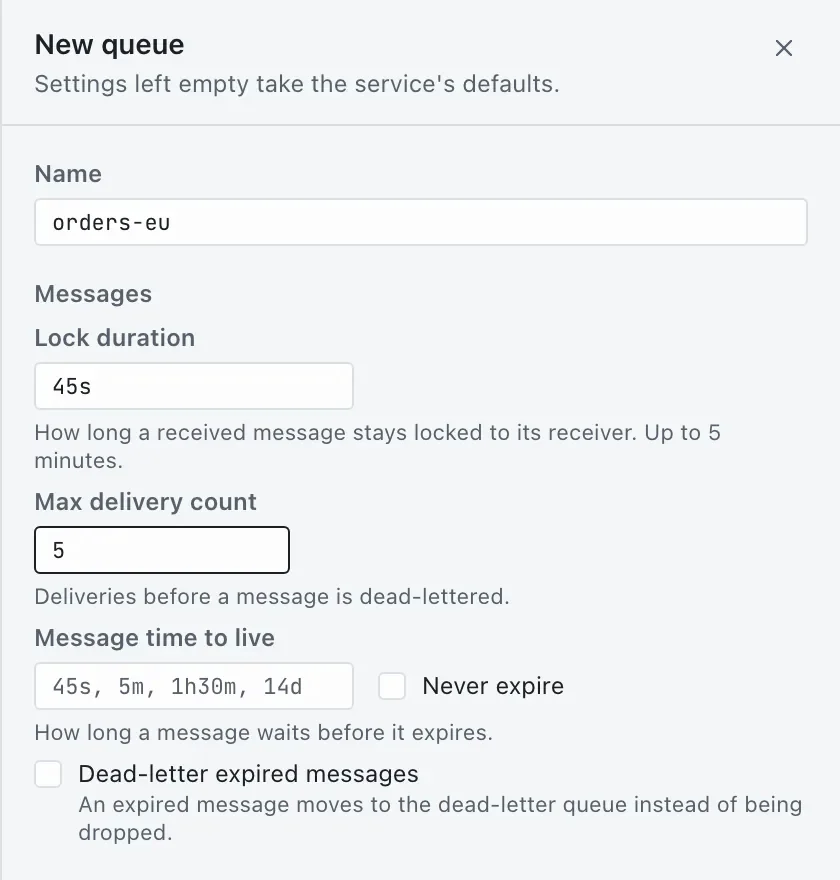
The New queue sheet in the light appearance, with lock duration 45s and max delivery count 5

Dispatched follows your system's light or dark appearance.

Watch messages arrive, live.

The Listener shows new messages as they land, with messages and bytes per second over the last minute. Watch leaves them in place; receive and complete keeps every message it took for the report, and sends any of them again from the grid.

The Listener watching label-print: messages and bytes per second above the newest messages

The same tool in your terminal.

The dispatched command shares connections and the activity log with the app, asks for the same confirmations, and prints JSON for your scripts.

# What is dead-lettered, and why$ dispatched dlq summary orders# Send the fixed ones back and remove the originals$ dispatched dlq resubmit orders--all--filter "user.kind = 'invoice'"--remove-original# On production, name every entity it touches$ dispatched--profile prod-weu purge orders--yes--confirm-prod orders# Watch a queue, one JSON object per line$ dispatched listen orders--format json

Built to be trusted with your namespace.

Open source
Every line of the app and the CLI is on GitHub.
No account, no telemetry
Nothing is collected. Your messages and settings stay on your machine.
Your sign-in, your keychain
Microsoft Entra ID or a connection string, with secrets in the system keychain.
Bring your namespace
Import XML entity exports in the widely used ServiceBusExplorer format.

Questions

Does Dispatched run on Mac and Linux?
Yes. Dispatched is a native desktop app for macOS, Windows and Linux for Azure Service Bus: browsing and peeking, receiving, dead-letter repair, entity management and a live listener.
Is Dispatched free?
Yes. The desktop app and the CLI are free to download and use.
How does Dispatched sign in to Azure?
With Microsoft Entra ID (your own account, multi-tenant, with namespace discovery) or with a Service Bus connection string. Connection strings and tokens are kept in your operating system's keychain.
Can I import my existing entity exports?
Yes. Dispatched reads XML entity exports in the widely used ServiceBusExplorer format, including subscriptions, SQL and correlation rules and SAS policies, and writes the same format back.
Does Dispatched collect any data?
No. There are no analytics, no telemetry and no accounts. Everything it stores stays on your machine, and it connects only to the Azure endpoints you choose.
How does it protect production namespaces?
Every change is counted and described in one sentence before it runs. On a connection marked as production you type the name of every entity the change touches, and every change is written to a local activity log.

Open your namespace in Dispatched.

Free · macOS, Windows and Linux · Peeking never changes anything.